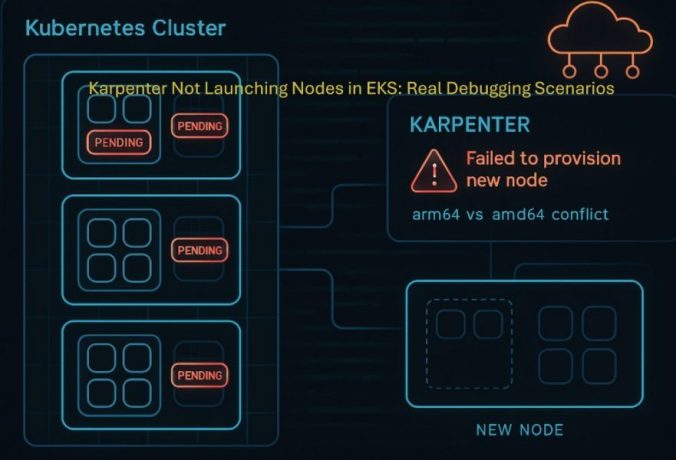
If you’re running Karpenter on Amazon EKS and your pods are stuck in Pending, this guide walks through real issues I reproduced and debugged in a test cluster.
This is not theory.
Every scenario below was tested by me on:
- Karpenter v1.5.0
- A working EKS cluster
- Real workloads and NodePools
Karpenter logs and behavior can change slightly between versions, so treat exact messages as guidance—not guarantees.
What This Guide Covers
- Pods stuck in Pending
- NodePools not becoming Ready
- Missing EC2NodeClass issues
- Why Karpenter sometimes does nothing
- Real logs and commands to debug
Scenario 1: Pod Stuck in Pending (Architecture Mismatch)
What I did
I deployed a pod that explicitly required arm64:
apiVersion: v1
kind: Pod
metadata:
  name: arm-test-pod
spec:
  containers:
    - name: nginx
      image: nginx
      resources:
        requests:
          cpu: "1"
          memory: "512Mi"
  nodeSelector:
    kubernetes.io/arch: arm64
But my only Ready NodePool allowed:
amd64
t3.medium
What I saw
kubectl get pods
arm-test-pod Pending
Pod events (first clue)
kubectl describe pod arm-test-pod
Example output:
Events:
  Type     Reason            Message
  ----     ------            -------
  Warning  FailedScheduling  0/0 nodes are available
Karpenter logs (full output from my cluster)
{
  "level": "ERROR",
  "message": "could not schedule pod",
  "Pod": {"name": "arm-test-pod", "namespace": "default"},
  "error": "incompatible requirements, key kubernetes.io/arch, kubernetes.io/arch In [arm64] not in kubernetes.io/arch In [amd64]; no instance type met all requirements",
  "errorCauses": [
    {
      "error": "incompatible requirements, key kubernetes.io/arch, kubernetes.io/arch In [arm64] not in kubernetes.io/arch In [amd64]"
    },
    {
      "error": "no instance type met all requirements, requirements=karpenter.sh/capacity-type In [on-demand], kubernetes.io/arch In [arm64], node.kubernetes.io/instance-type In [t3.medium]"
    }
  ]
}
What to focus on in this log
- incompatible requirements
- arm64 not in amd64
- no instance type met all requirements
These lines explain exactly why provisioning failed.
What actually happened
At first, everything looked fine:
- Cluster healthy
- Karpenter running
- Pod spec valid
But Karpenter couldn’t find any instance type that matched both:
- arm64 (pod requirement)
- amd64 (NodePool constraint)
So it didn’t create a node.
If your pod never gets scheduled, it won’t become Ready. This can also lead to Services having no endpoints even when the Service configuration looks correct.
👉 Read: Why your Kubernetes Service has no endpoints and how to fix it
Fix
- Remove nodeSelector
- Or allow arm64 in NodePool
- Or add ARM instance types such as t4g.medium
Key takeaway
Karpenter requires exact constraint alignment. If requirements don’t match, no node is created.
Scenario 2: NodePool Not Ready (Missing EC2NodeClass)
What I did
I created a NodePool referencing a non-existent NodeClass:
nodeClassRef:
  name: default
What I saw
kubectl get nodepool
prod-nodepool default 0 False
NodePool events
Warning  Failed resolving NodeClass  karpenter
Normal   NodeClassReady              Status: False, Reason: NodeClassNotFound, Message: NodeClass not found on cluster
Normal   Ready                       Status: False, Reason: UnhealthyDependents, Message: NodeClassReady=False
What to focus on
- NodeClassNotFound
- NodeClassReady=False
- UnhealthyDependents
This means the NodePool is unusable.
What actually happened
Karpenter requires a valid chain:
NodePool → EC2NodeClass → AWS configuration
If the NodeClass is missing:
- NodePool never becomes Ready
- Karpenter ignores it completely
Fix
Create the EC2NodeClass:
apiVersion: karpenter.k8s.aws/v1
kind: EC2NodeClass
metadata:
  name: default
Verify
kubectl get nodepool
It should show READY as True.
Key takeaway
If a NodePool is not Ready, Karpenter will never use it.
Scenario 3: Pod Scheduled Without Karpenter
What I did
I deployed a valid amd64 pod:
apiVersion: v1
kind: Pod
metadata:
  name: amd64-test-pod
spec:
  containers:
    - name: nginx
      image: nginx
      resources:
        requests:
          cpu: "1"
          memory: "512Mi"
  nodeSelector:
    kubernetes.io/arch: amd64
What happened
kubectl get pods -o wide
Running on existing node
No Karpenter logs appeared.
At this point, the pod is successfully scheduled and running. But if you still cannot access it, the issue is no longer scheduling — it is likely a networking or service configuration problem.
👉 Read: Why your Kubernetes pods are running but not reachable and how to fix it
Verifying it was the default scheduler
$ kubectl describe pod amd64-test-pod | grep -A 5 "Events"Events:
Type Reason Age From Message
---- ------ ---- ---- -------
Normal Scheduled 13m default-scheduler Successfully assigned default/amd64-test-pod to ip-192-168-40-88.ec2.internal
Normal Pulling 13m kubelet spec.containers{nginx}: Pulling image "nginx"
Normal Pulled 13m kubelet spec.containers{nginx}: Successfully pulled image "nginx" in 3.076s (3.076s including waiting). Image size: 62964342 bytes.
What this confirms
The key detail is:
From: default-scheduler
This means:
- The Kubernetes scheduler handled the pod
- An existing node had capacity
- Karpenter was not triggered
Key takeaway
No Karpenter logs does not indicate a problem. It often means everything is working as expected.
Scenario 4: Karpenter Skips NodePools Silently
What I observed
With multiple NodePools:
- Only one appeared in logs
- Others were not mentioned
Example error
{
  "error": "incompatible requirements, key kubernetes.io/arch, arm64 not in amd64",
  "errorCauses": [
    {"error": "incompatible requirements"},
    {"error": "no instance type met all requirements... nodepool In [ci-test]"}
  ]
}
What this means
Karpenter:
- Evaluates all NodePools
- Logs errors only for partial matches
- Silently skips fully incompatible ones
Key takeaway
Always verify NodePool requirements manually instead of relying only on logs.
Related Kubernetes Issues (Debug Flow)
- Pods stuck in Pending → scheduling issue (this guide)
- Pods running but not reachable → networking issue
- Service has no endpoints → pods may not be ready
Troubleshooting Checklist
| Problem | Check | Fix |
|---|---|---|
| Pod Pending | kubectl describe pod | Check scheduling errors |
| No logs | Existing nodes | Expected behavior |
| NodePool not Ready | kubectl get ec2nodeclass | Create or fix it |
| Architecture mismatch | Compare constraints | Align them |
| No instance type match | NodePool too restrictive | Broaden constraints |
Commands Used
$ kubectl get pods
$ kubectl describe pod <name>kubectl get nodepool
$ kubectl describe nodepool <name>
$ kubectl get ec2nodeclasskubectl logs -n kube-system -l app.kubernetes.io/name=karpenterkubectl get nodes
$ kubectl get nodeclaims
Final Thoughts
This issue was not obvious at first.
Everything looked correct:
- Cluster running
- Karpenter healthy
- Pod valid
The root cause was:
- constraint mismatch
- NodePool readiness
Once those were aligned:
- Node launched immediately
- Pod moved to Running
Final Takeaway
Karpenter is strict by design. It does not guess or fall back. It provisions nodes only when all constraints match.
